Clone Studio 101: building your first clone, end to end.
From signup to going live in an afternoon. The full tester walkthrough: uploads, the interview, the four feedback loops, MCP deployment, and what to expect from your first benchmark pass.
Before you start: what a "clone" actually is
If you've used ChatGPT, you've seen what a generic LLM sounds like. Articulate, broadly competent, opinion-free. Useful for a lot of things, useless for the question only you would have a strong answer to.
A clone is the opposite. It's narrow on purpose. It runs on your knowledge, your frameworks, the patterns you've internalised after years in your field, and the actual sound of your voice. It's the difference between asking "an AI" for positioning advice and asking Amy for positioning advice. Amy has done thirteen ICP workshops this year and has strong, specific opinions about what works at Series A versus what works at Series C.
The thing we're building together over the next 60-90 minutes is you-as-an-API. Once it's running, it can:
- Have substantive conversations with people on your share page
- Live inside your own tools (Claude Code, Cursor) and answer questions in your voice from inside your daily work
- Answer your team in Slack, in your voice, grounded in your knowledge
- Be exported as compiled artifacts you can take elsewhere
It does not get there in one shot. The first version is the seed. The four feedback loops we'll cover at the end are what make it actually good over time.
Let's build.
The pipeline at a glance
Eight stages. They're linear when you do them the first time. You'll come back to most of them many times.
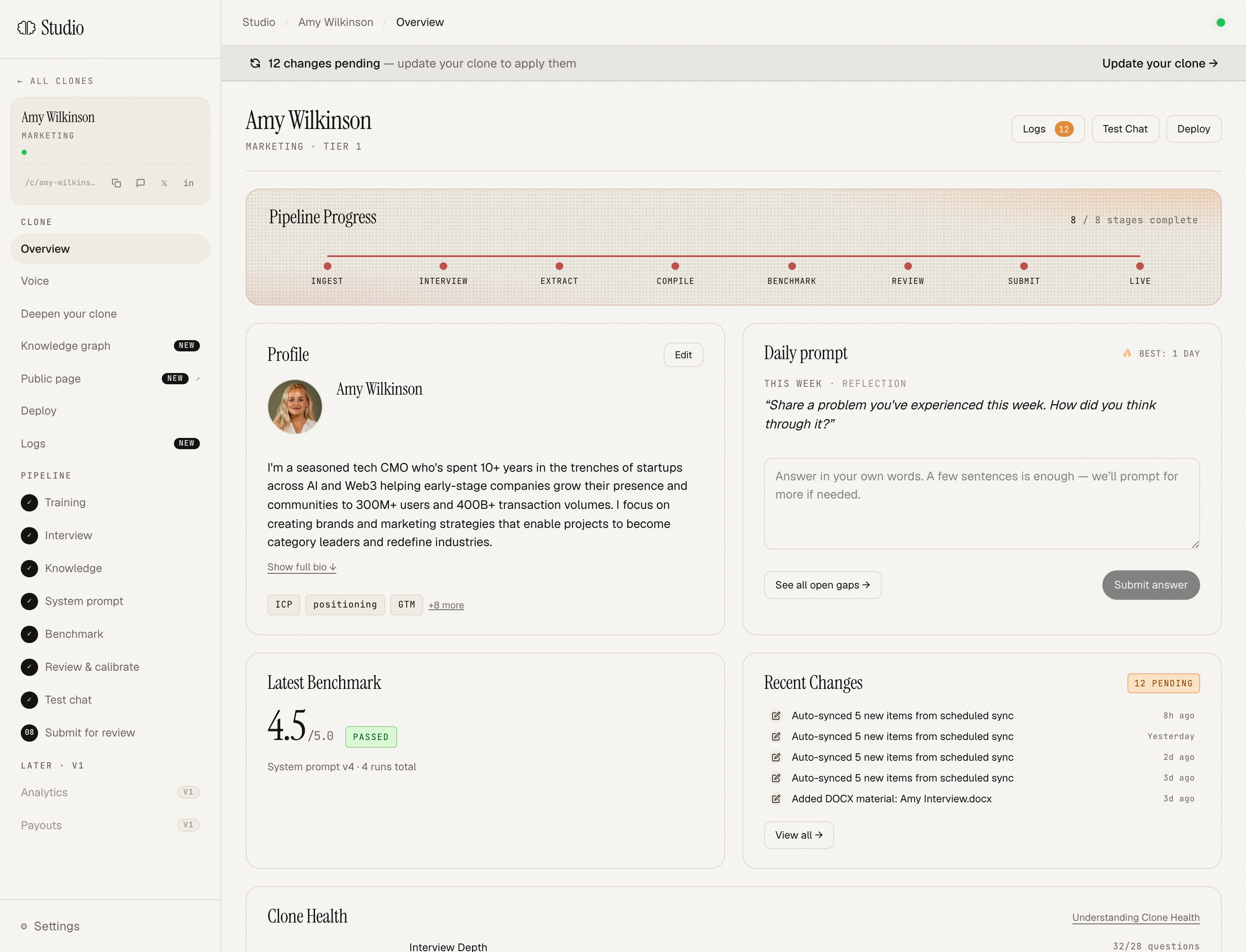
- Ingest: drop in everything you've ever written or said publicly about your work
- Interview: voice conversation that captures how you think
- Extract: Aiva builds a structured knowledge document from your material + interview
- Compile: your knowledge gets compiled into a system prompt that makes the clone sound like you
- Benchmark: 8 calibration questions in your domain. Pass = ready to publish
- Review & calibrate: fine-tune what didn't quite land before going live
- Submit: admin review (identity + quality pass)
- Live: your
/c/<your-slug>chat page goes public
The first six are yours. The last two are us. Most of the time you spend will be in Ingest and Interview.
Stage 0: Sign up
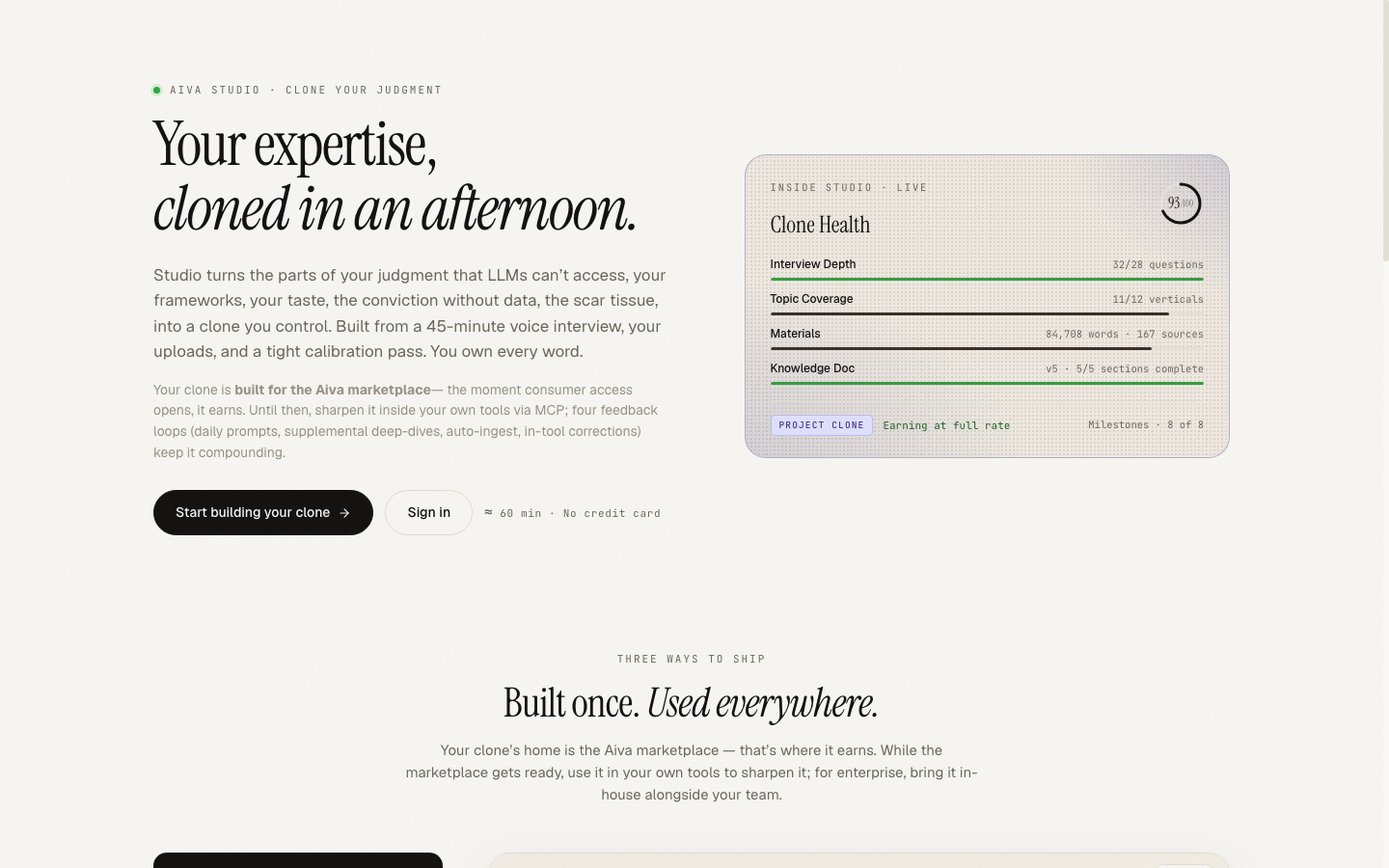
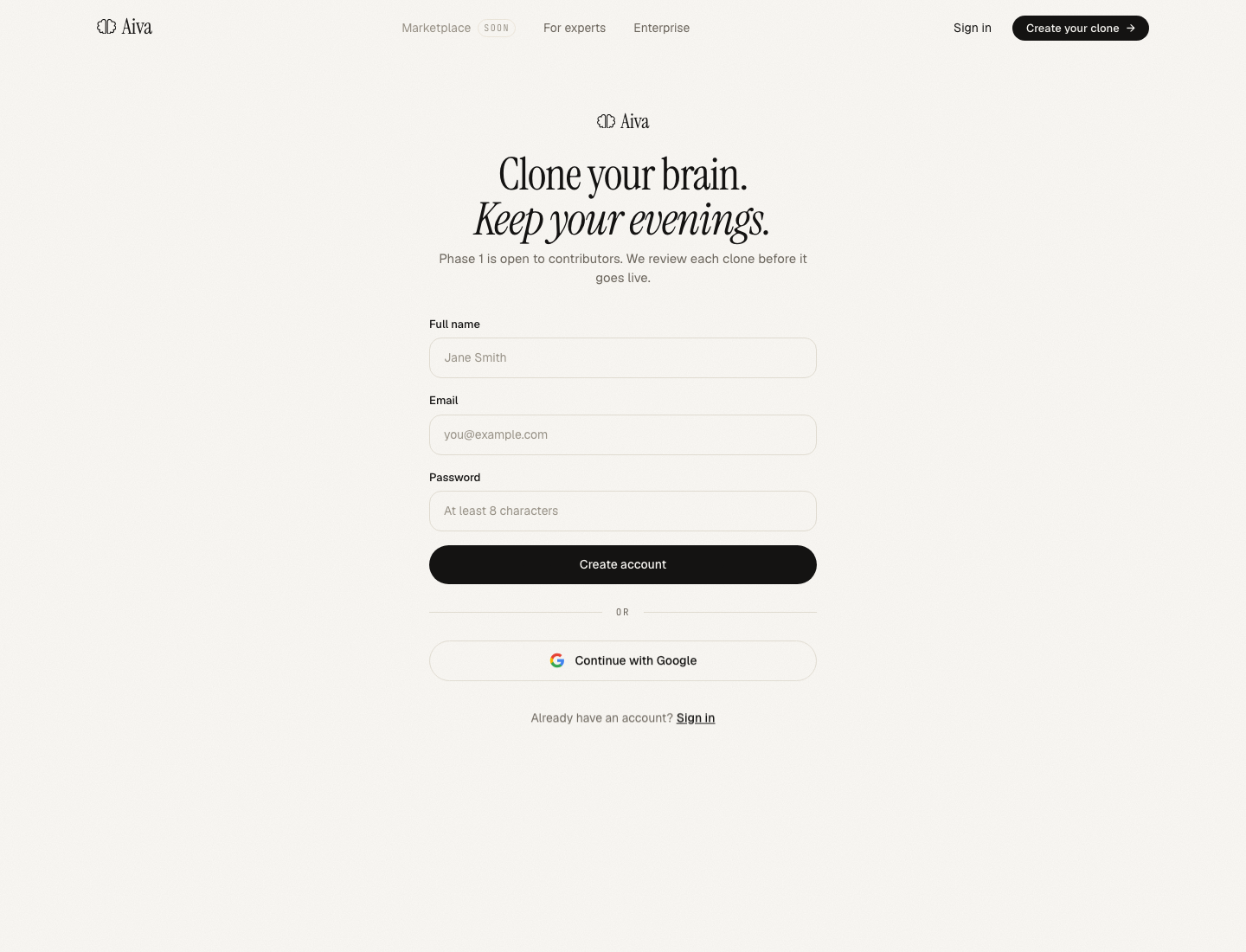
Head to studio.getaiva.xyz and click Start building your clone. You'll land on the platform sign-up: email, password, full name. Confirm the email link Supabase sends, then you're routed to a short onboarding form covering headline, primary expertise, years of experience, LinkedIn URL, education, notable employers, and a profile photo. None of it takes long. Save and you're in.
Identity verification happens in the background and takes 1-2 business days. You can build your entire clone before verification finishes, you just can't publish until it does. Use the time well.
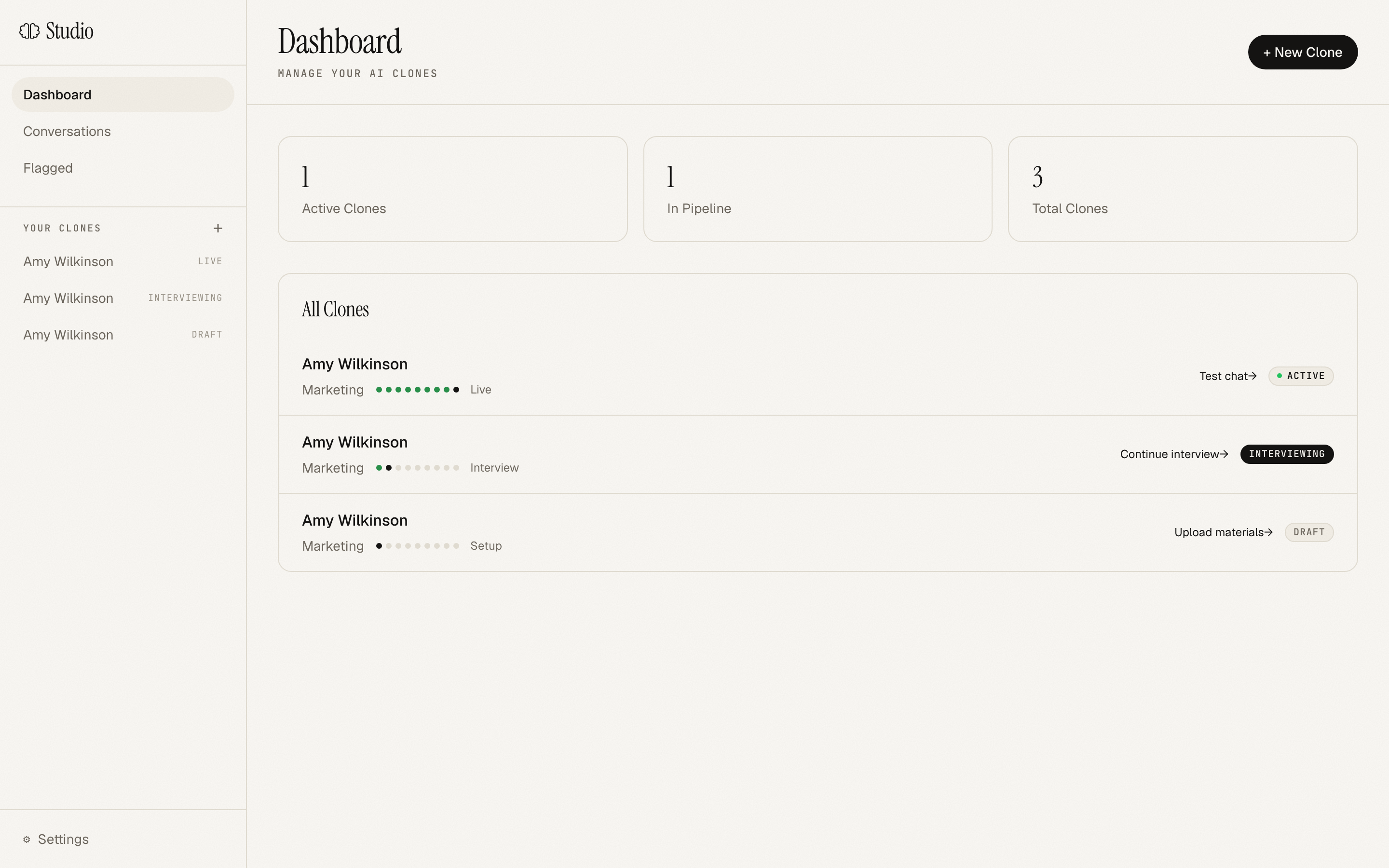
When you land back in Studio, you'll see a fresh clone scaffold tied to your name. Click into it.
Stage 1: Ingest
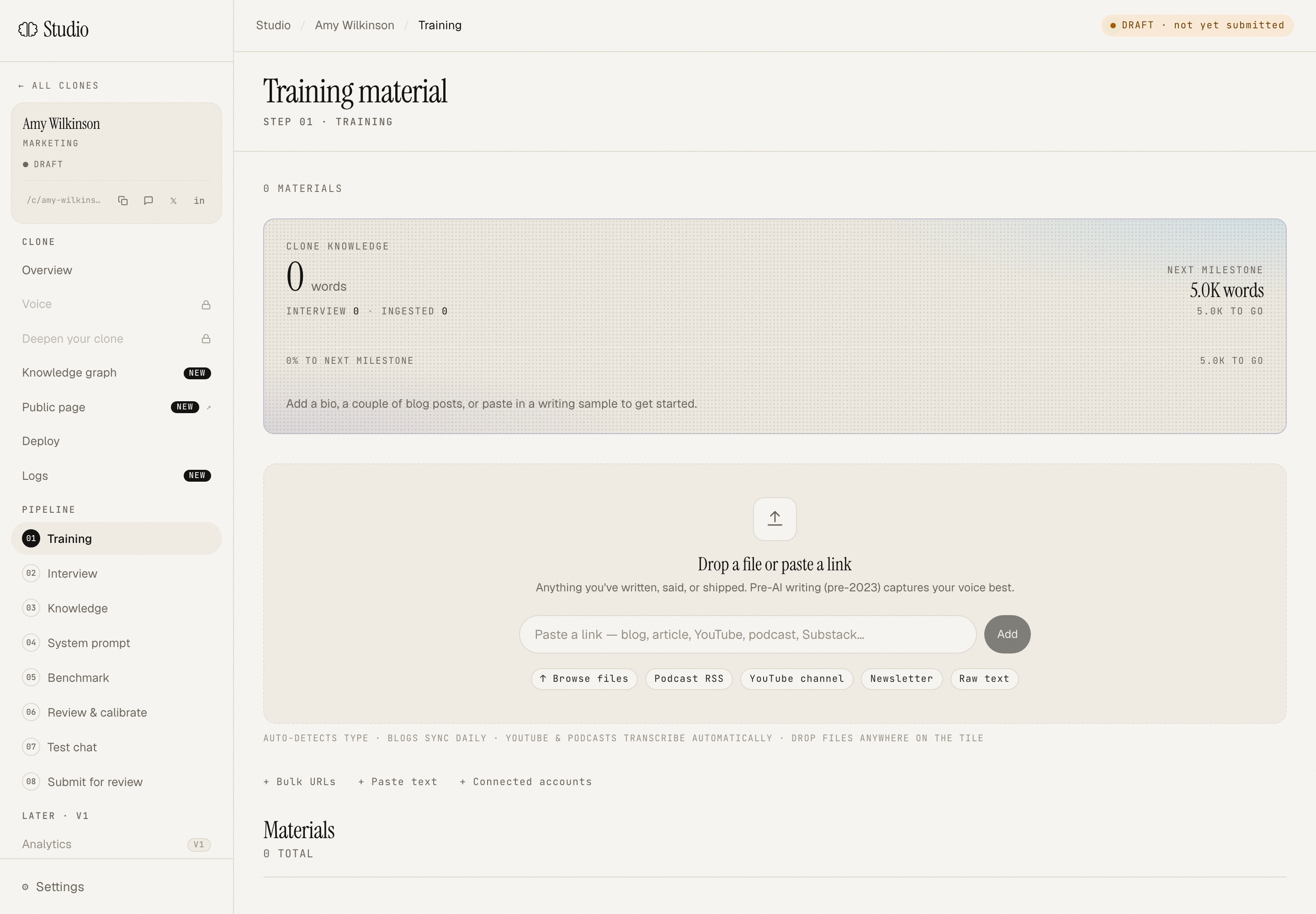
This stage is deceptively important. Aiva uses your uploads in two ways:
- As context for the interview (the interviewer reads it before each question and asks sharper, more specific things)
- As source material for the knowledge document
Drop in anything that represents how you think:
- Long-form writing: Substack posts, Medium, blog posts, talks transcribed, essays. PDFs and Markdown both work.
- Decks: pitch decks, internal frameworks, training materials. Export to PDF and drop them in.
- Podcast or video appearances: paste a YouTube URL or a podcast RSS feed and Aiva will pull transcripts.
- Social: your LinkedIn writing, your Twitter/X long-form, your Substack notes.
- Email newsletters: drop in a few archived issues if you write one.
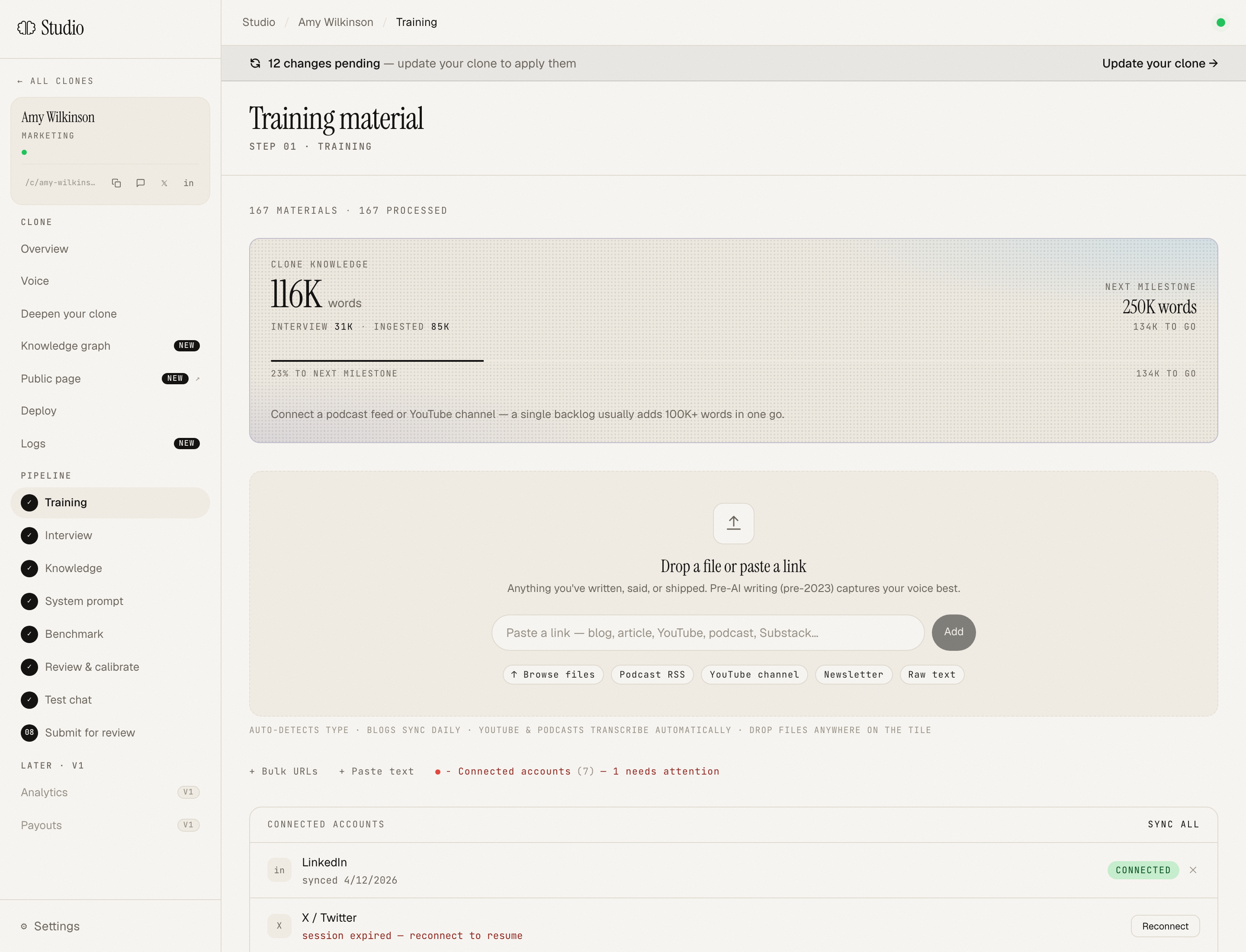
You don't need everything at once. You can keep adding through the auto-ingest connections (RSS, podcasts, your writing) and Aiva will read new content as it publishes. But getting 10-20 substantive pieces in at the start makes the interview meaningfully better.
When you're done, the Ingest stage marks complete. Click forward to Interview.
Stage 2: Interview
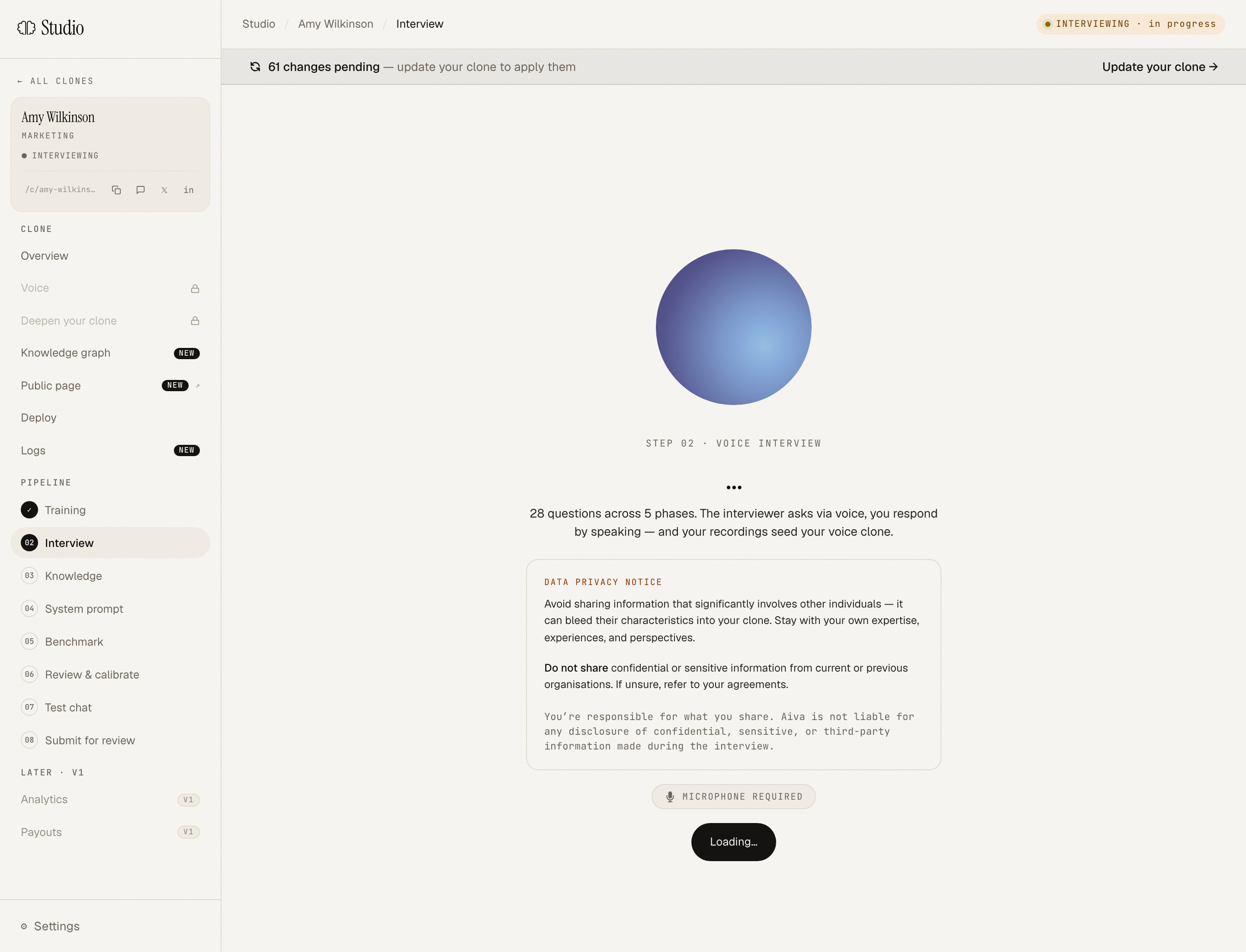
This is where most of the magic happens, and where most creators are surprised by how good the experience is. The interview is voice-based, conversational, and structured across five phases:
- Career & Background: what you've done, what you've learned, what you'd do differently
- Domain Expertise: specific frameworks, patterns, methodologies
- Frameworks & Mental Models: how you think, what you believe, what you'd push back on
- Real-World Scenarios: what would you do if...
- Communication Style: how you explain things, your voice, your style
Each phase has 2-4 essential questions plus optional additional ones, 15 essentials in total across all phases, and 28 total questions if you do everything. You can do just the essentials for a fast first build (~30 min) or commit to the full 28 (~90 min) for a more capable clone.
How to talk
Talk like you're explaining to a smart colleague over coffee, not writing an essay. Specific stories beat polished generalities. Real numbers beat round ones. Strong opinions beat hedged ones.
Do:
- "When I worked with [Company X], the actual blocker was that their VP of Sales had been there 18 months and was protecting the legacy motion. We didn't solve the pipeline problem, we solved the political one."
- "I think account-based marketing is mostly cargo cult. Here's the one case where it actually works."
- "I always start with the ICP workshop, even when the founder says they're past that. Nine times out of ten, they're not."
Don't:
- "It depends on the situation, but generally..."
- "I believe in a customer-centric approach."
- "Best practice would suggest..."
The clone learns whatever you give it. Generic in → generic out. Specific in → a clone that sounds like you.
Features inside the interview
Try a different question: if a question doesn't fit, click it. You get 3 swaps per session. The next question will be on a different topic, angle, and wording.
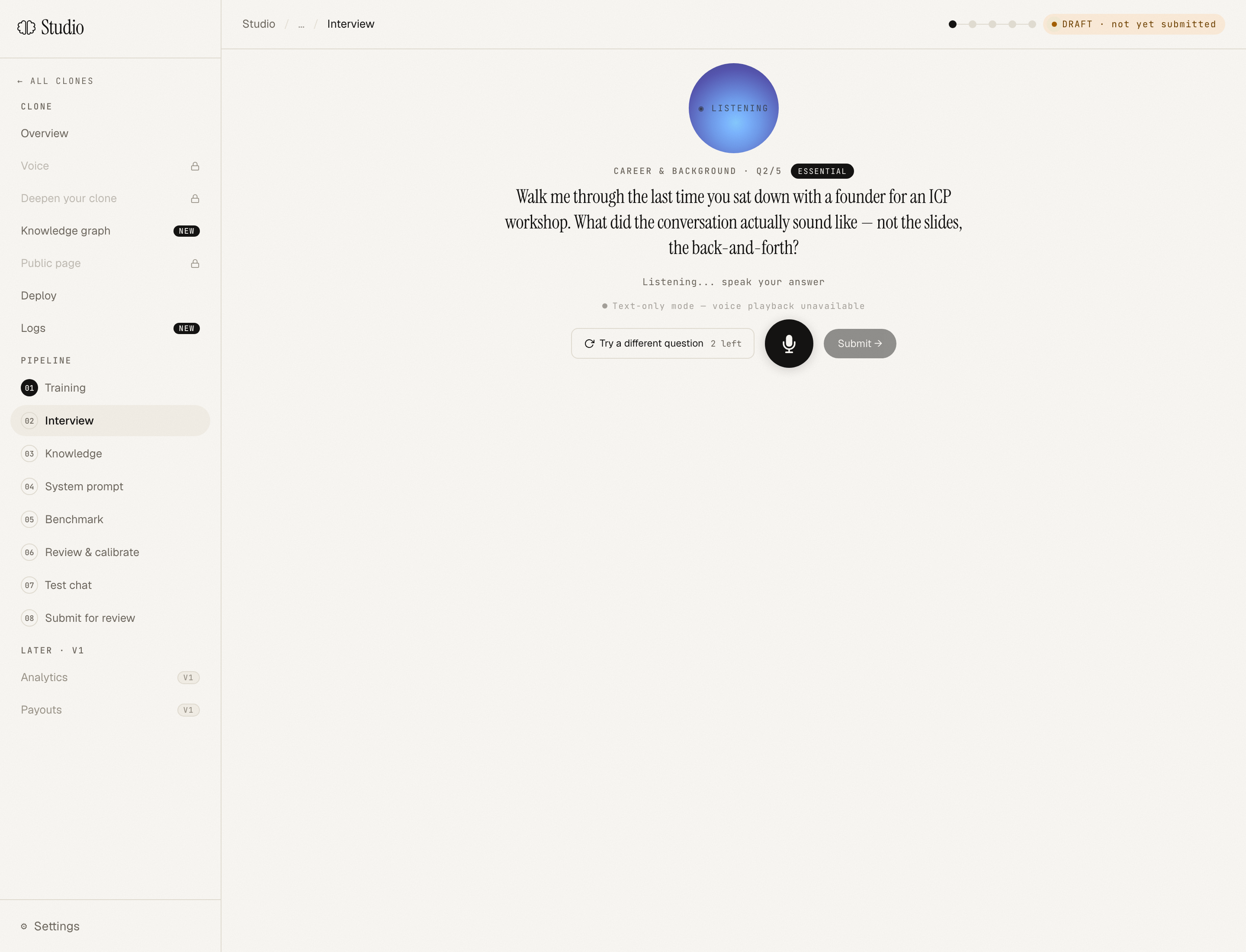
Jump to any section: after finishing a phase's essentials, the checkpoint screen shows Skip / Continue + a list of every other phase with remaining questions. You're not locked into the sequential order.
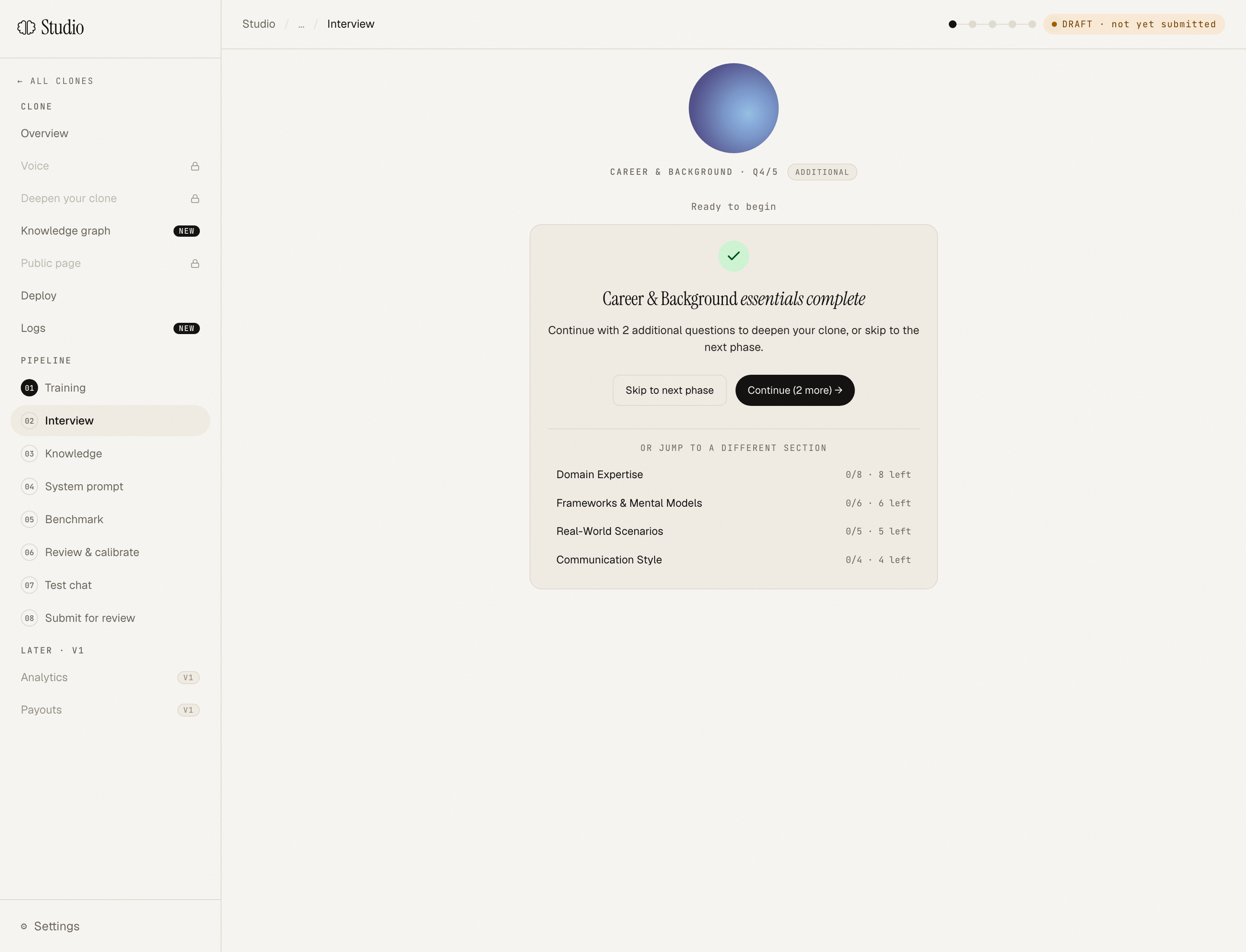
Pause and resume: close the browser any time. Your answers are saved per-question. You'll resume exactly where you left off.
When you're done with the interview
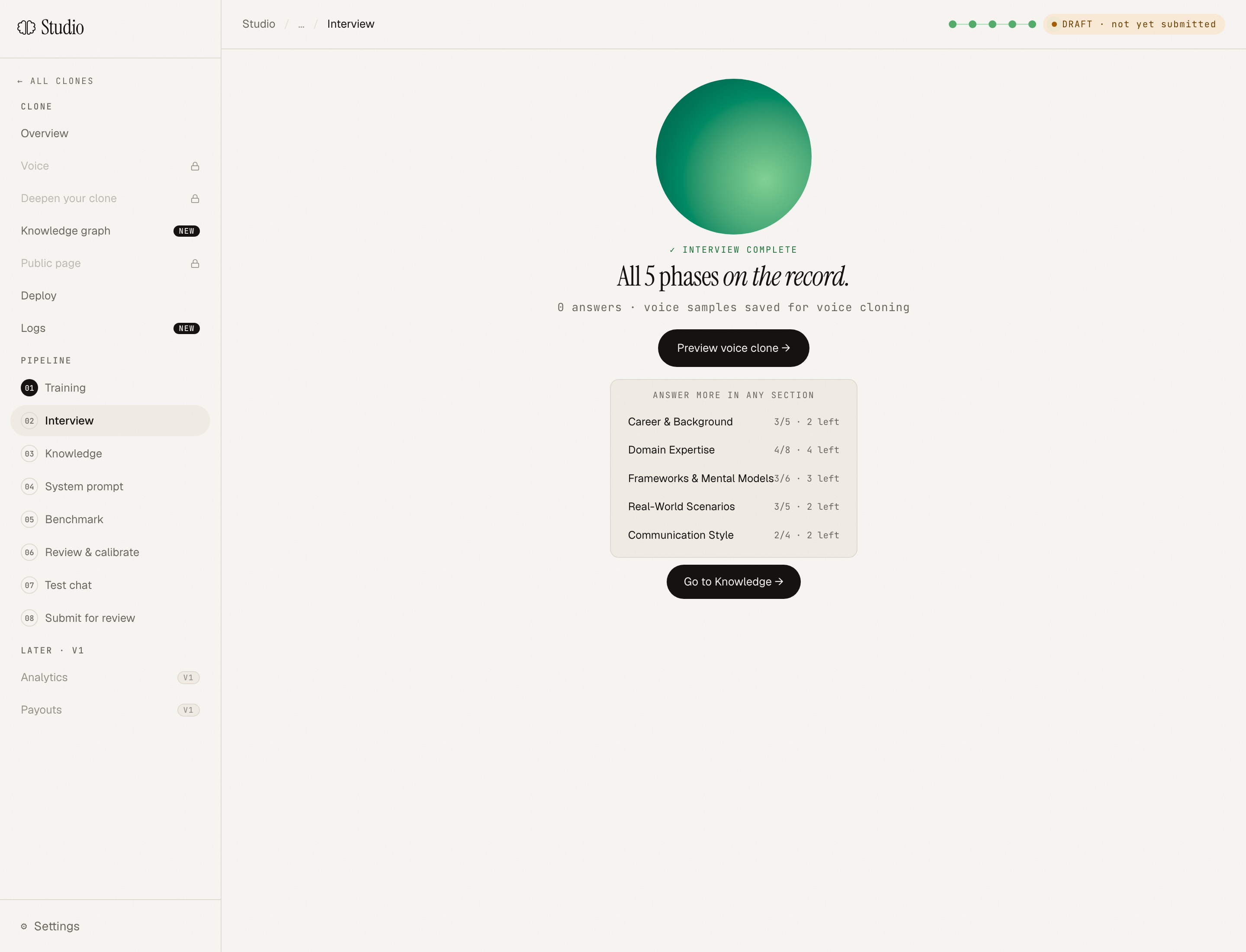
You'll see a completion screen with all five phases checked. If you only did essentials, the section picker will show the supplementals you can come back to later. There's no pressure to do them all now. Your clone will be functional with just essentials, and you can always deepen later.
Stage 3: Extract
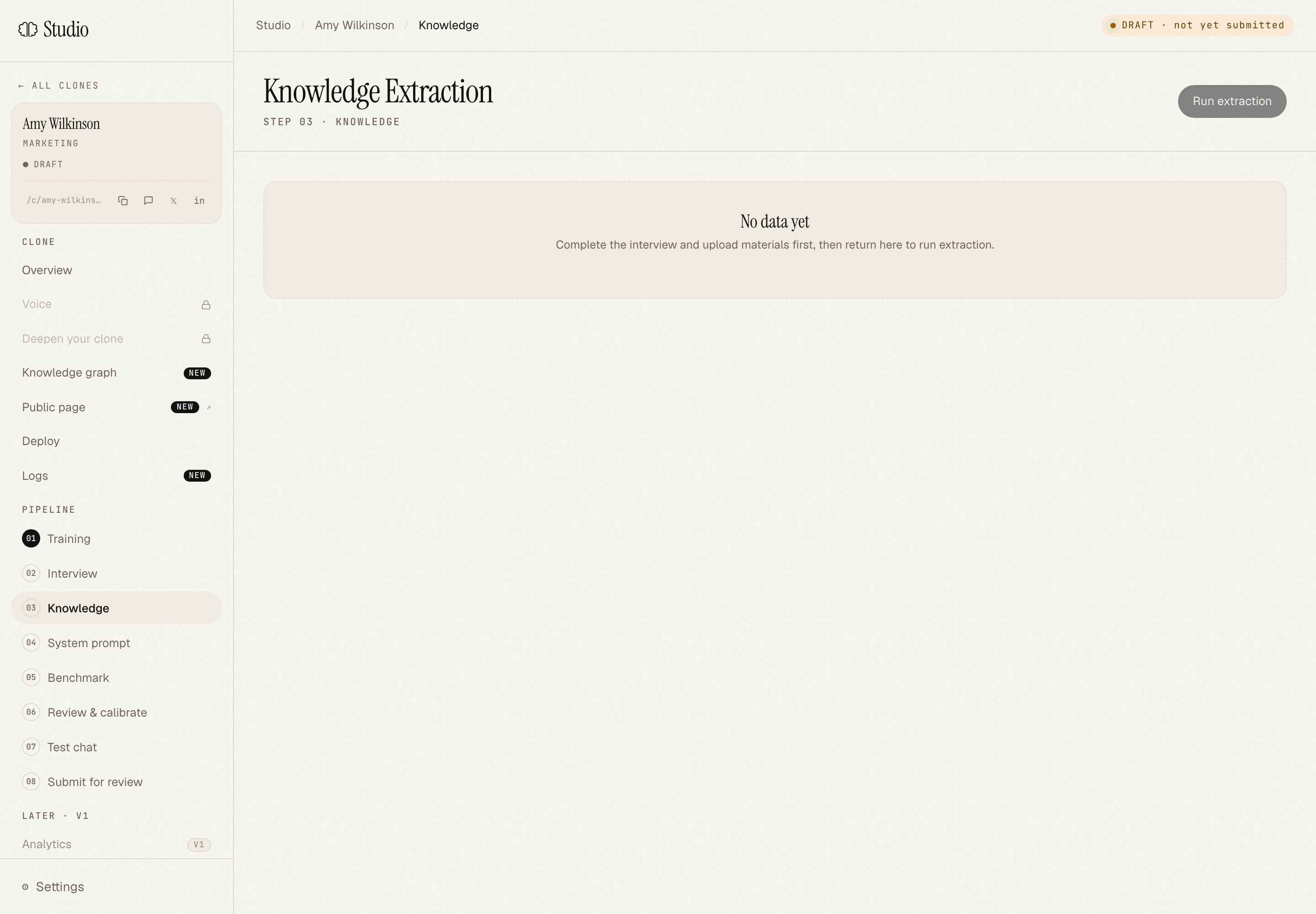
Click Run extraction. Aiva reads your interview transcripts plus all the materials you uploaded and builds a structured knowledge document: your frameworks, your beliefs, your scar tissue, organised. This usually takes 60-90 seconds.
When it's done, you'll see the knowledge doc on the Knowledge tab. Skim it. It's the first time you'll see your own thinking reflected back to you in structured form, and it tends to be a moment of "huh, I didn't realise I had that strong an opinion about [X]."
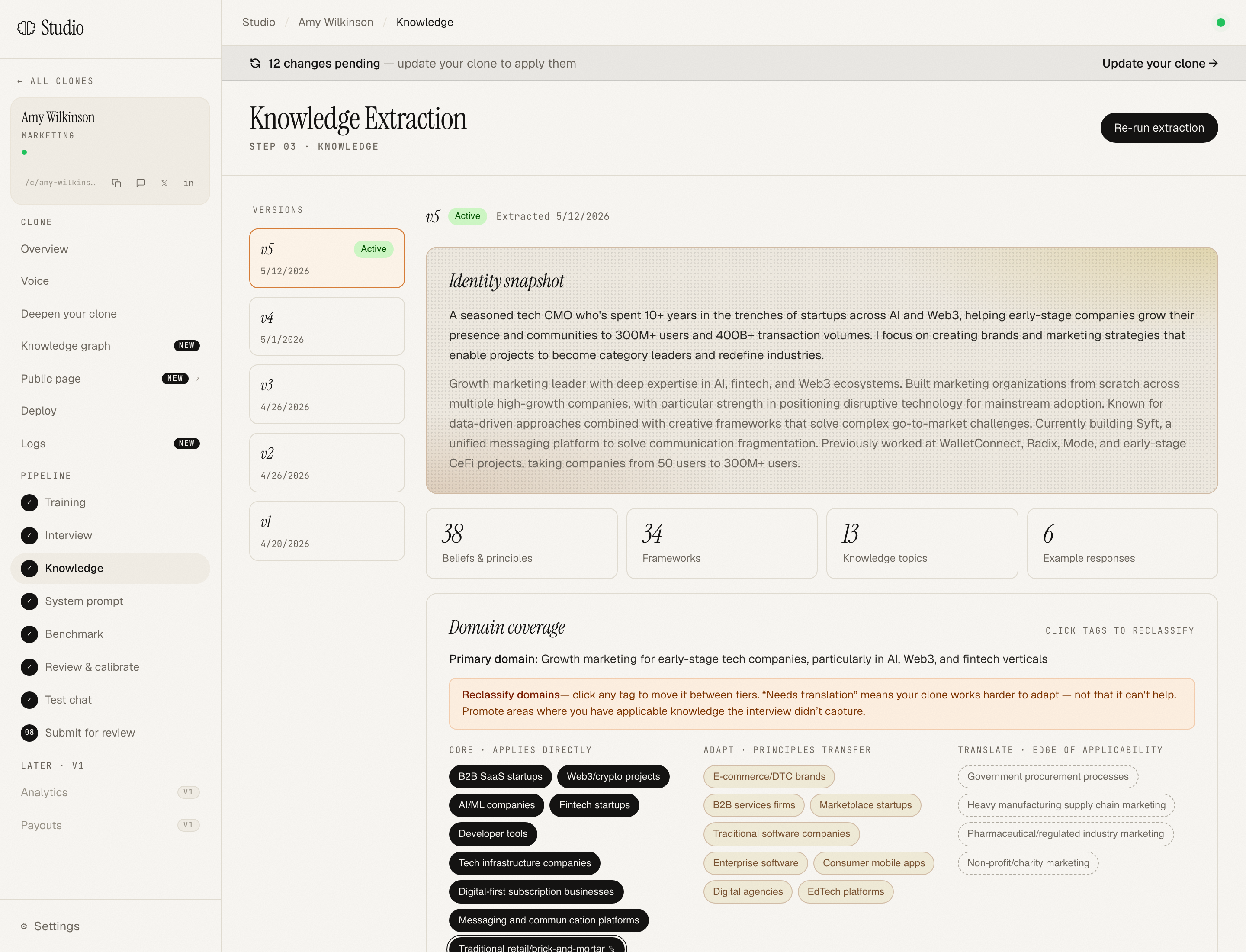
The knowledge doc is versioned. Every time you re-extract (after adding new material or supplemental answers), a new version is created. You can compare versions.
Stage 4: Compile
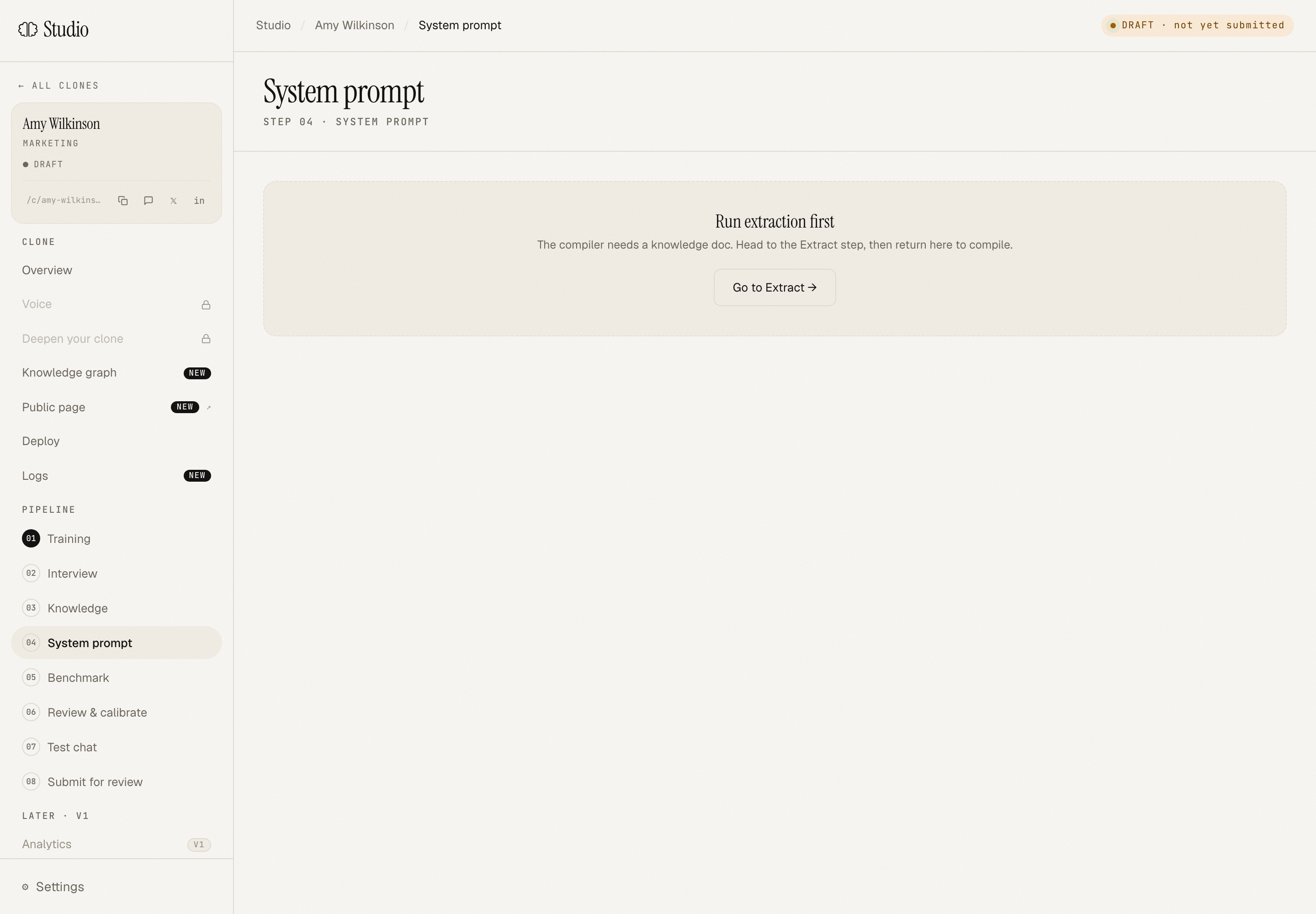
Click Run compile. Aiva turns your knowledge document into a compiled system prompt. That's the thing that actually runs at chat time. The compile pass also writes a clone "voice profile" (signature topics, voice samples, framework names) used for calibration.
The compiled prompt is layered into blocks:
- Block 1: persona body (who you are, how you sound)
- Block 2: priority instructions (anything you've added via the Calibrate page, or pushed back on)
- Block 3: frameworks (your mental models, the named patterns you use)
- Block 4: voice + style (tone, sentence patterns, what you'd never say)
- Block 5: boundaries (what's in/out of scope)
You don't have to manage these manually. They're surfaced on the Review & Calibrate page if you want to inspect them.
Stage 5: Benchmark
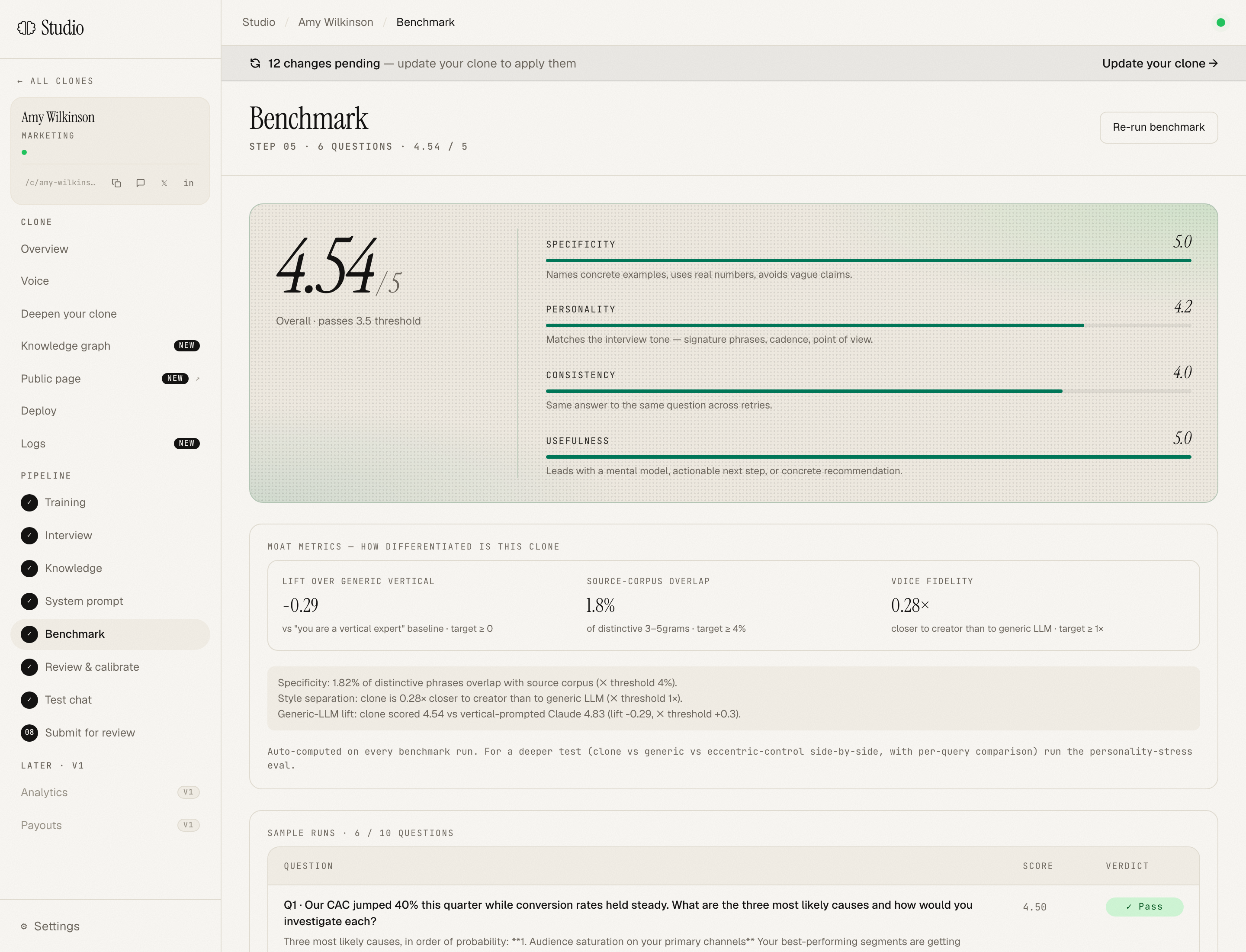
Aiva runs your compiled clone against 8 domain-specific benchmark questions. Each is scored on four axes:
- Specificity: does the answer have concrete detail, or is it generic?
- Personality: does it sound like you, or like a generic expert?
- Consistency: does it stay coherent with the rest of your stated positions?
- Usefulness: would the asker walk away with something actionable?
Each axis is scored 1-5. Aggregate score determines pass/fail. Most creators don't pass on the first try. That's expected. The Review & Calibrate page surfaces exactly what didn't land and what to do about it.
Stage 6: Review & Calibrate
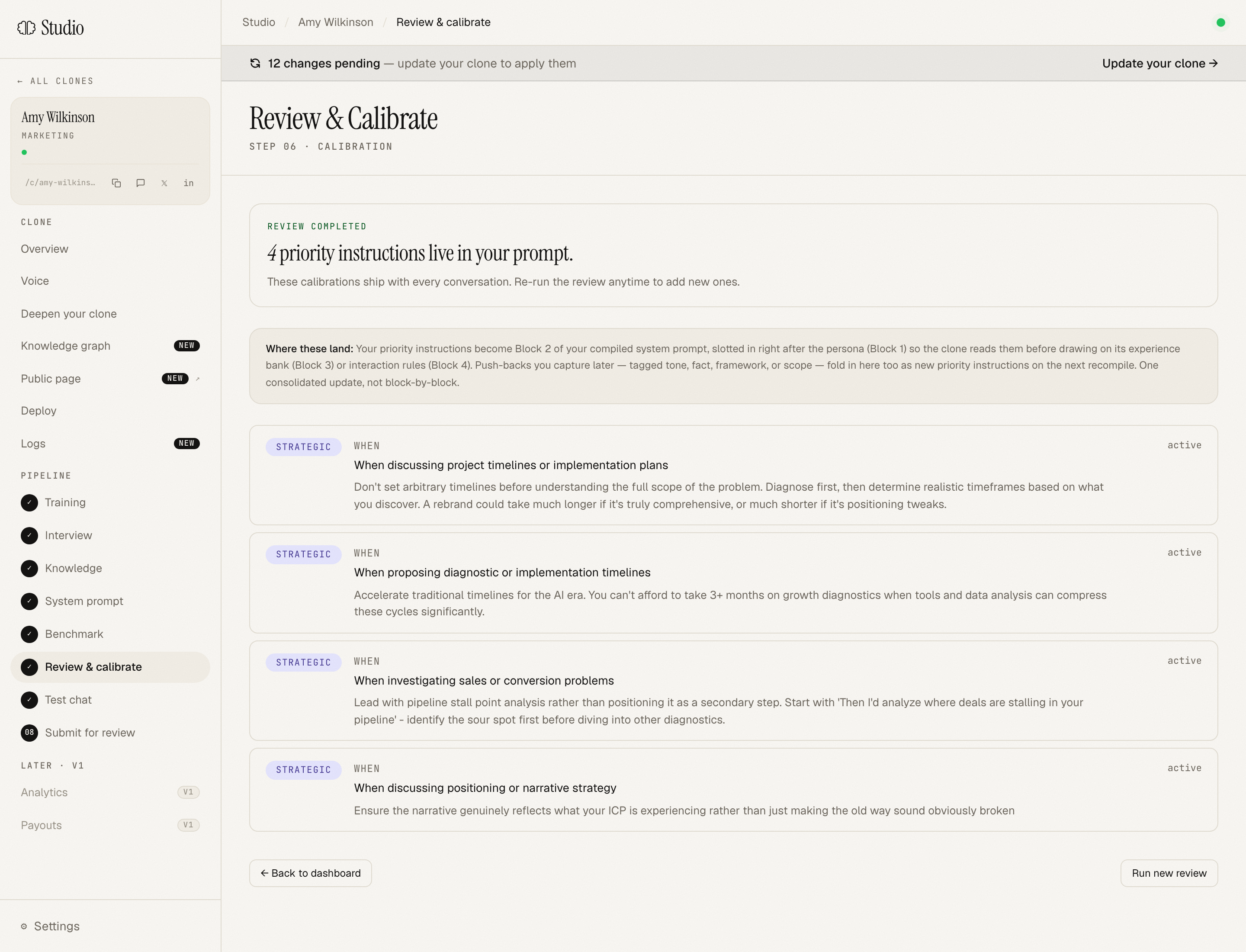
This page is where most creators spend their second-most-significant chunk of time (after the interview). Aiva shows you:
- Which benchmark questions scored low on which axes
- The clone's actual answer next to a "what you'd have said" prompt
- Priority instructions you've added so far (these become Block 2 of the compiled prompt)
You can re-run the benchmark after a re-compile to see your scores move. Most clones reach passing in 1-2 calibration iterations.
Stage 7: Submit
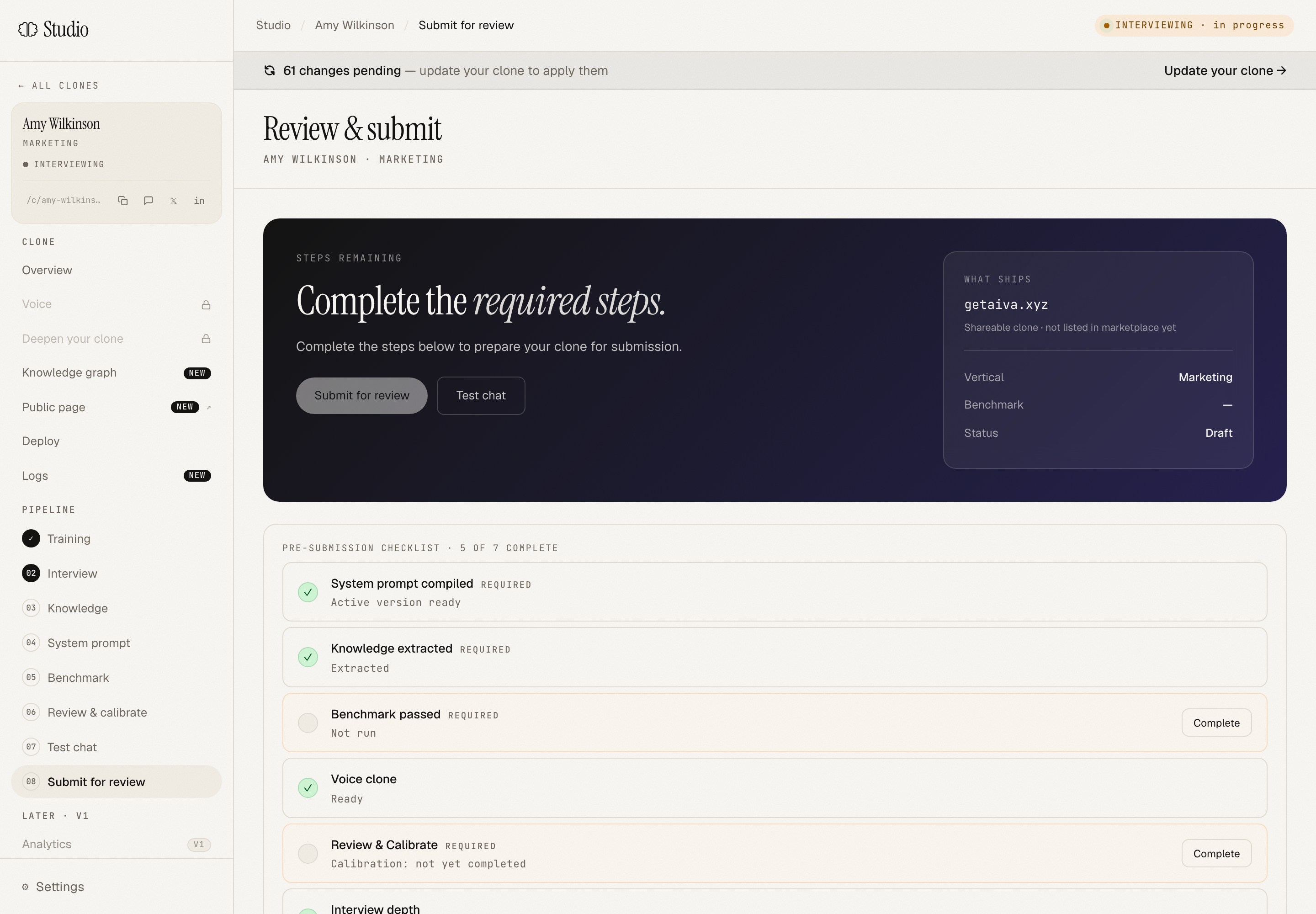
Once you've passed the benchmark, hit Submit. An admin does a final identity + quality pass, usually within 1 business day, often within hours. You'll get an email when you're approved.
This step exists because Aiva is a named-accountability platform; we can't let unverified clones go live and represent themselves as named experts. The bar isn't high. We're checking that you are who you say you are, that the clone reads as authentic, and that nothing is obviously broken.
Stage 8: Live
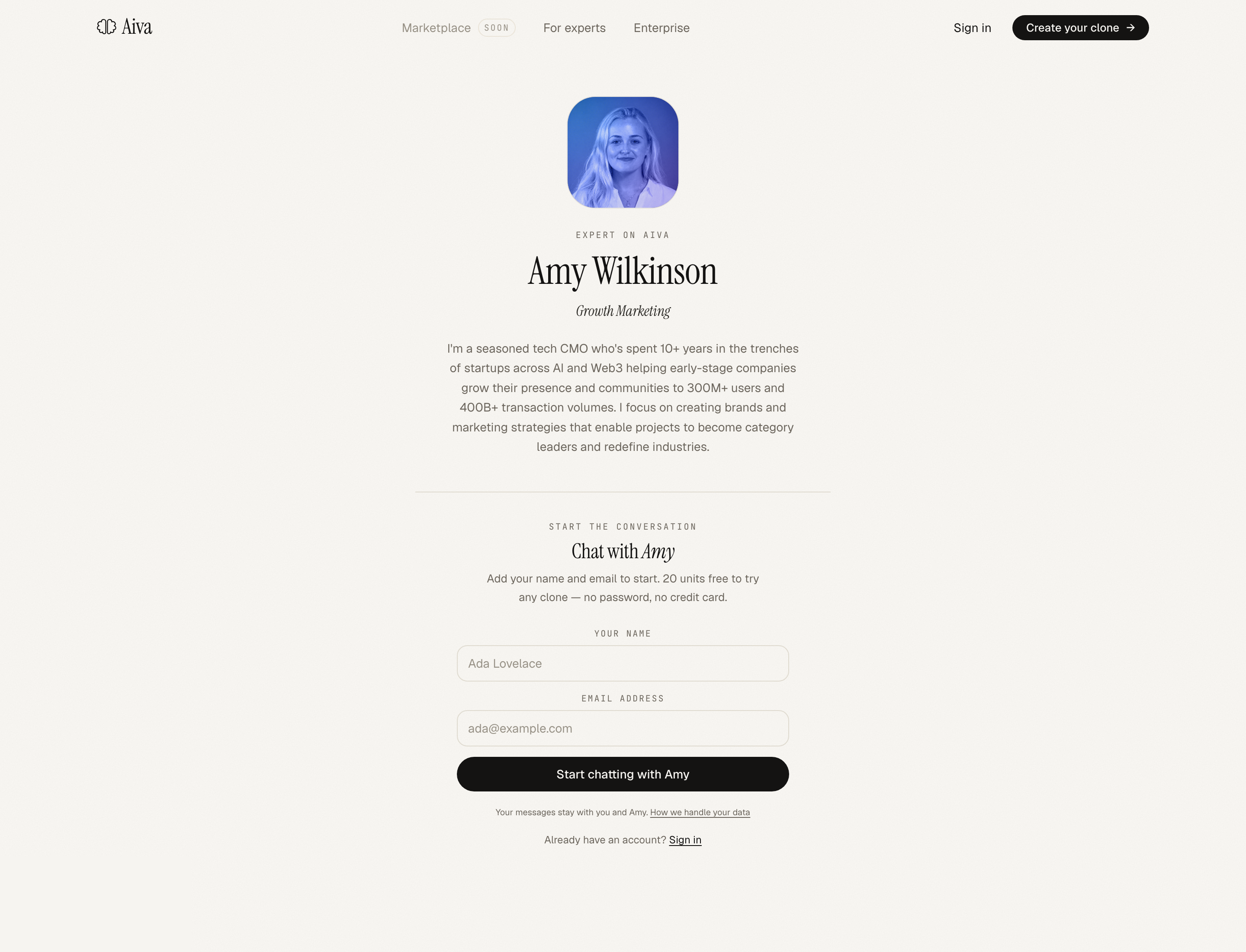
Your clone is now live at /c/<your-slug>. Share it anywhere, your LinkedIn, your newsletter, your email signature, your business card.
From here you can deploy it into the tools you already work in, over MCP and in Slack, so it answers in your voice wherever your work happens.
The four feedback loops, why this matters
A clone you build once and walk away from gets stale fast. The four feedback loops are how it stays sharp:
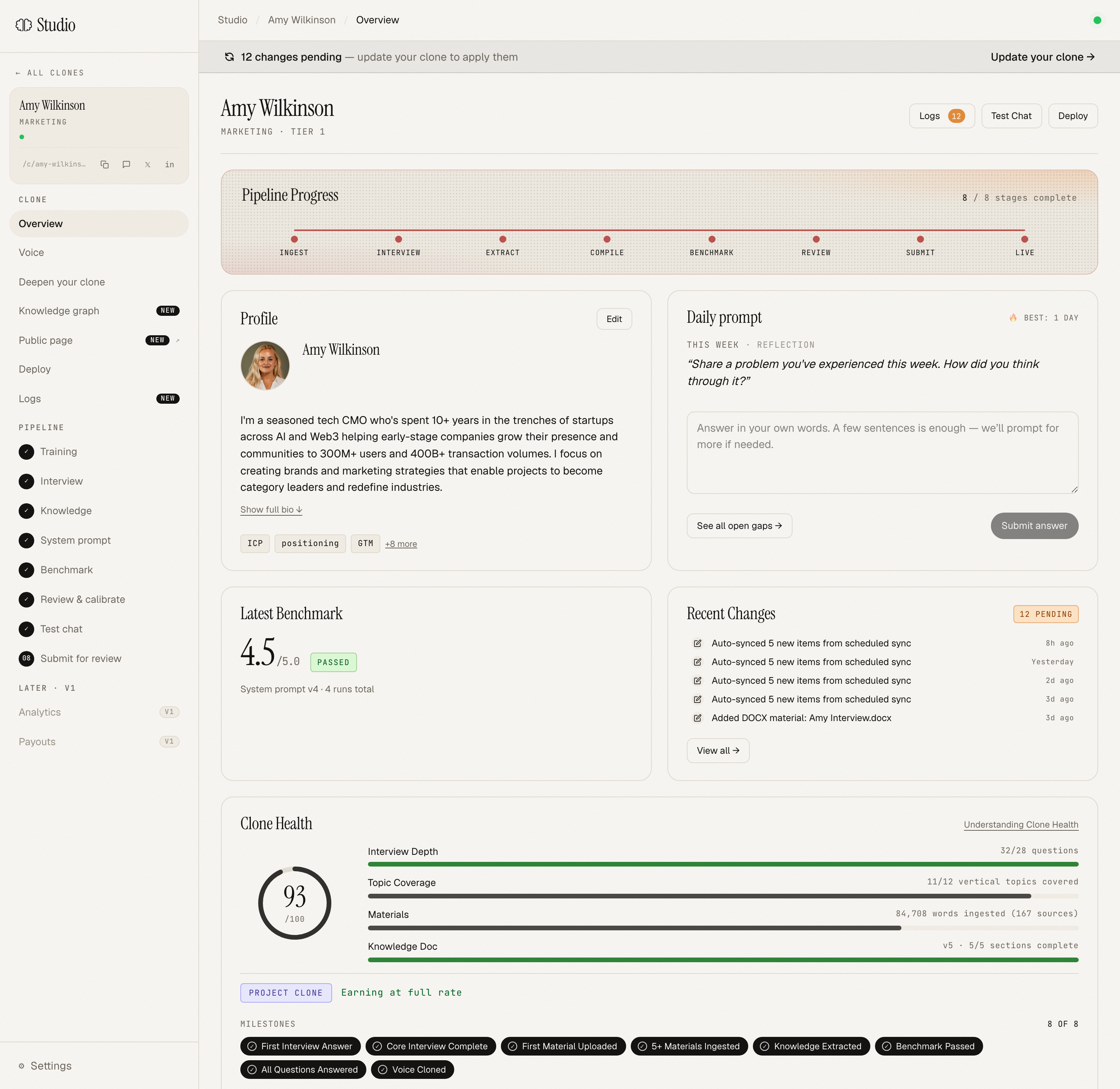
1. Daily prompts
Each morning, the overview surfaces one question that targets a gap in your current clone. Voice or text answer in 60-90 seconds. Doing this 3-4× a week is the single highest-leverage thing you can do. The clone gets smarter while you sleep.
2. Deepen your clone (supplemental)
The Deepen page shows a coverage matrix of your stated expertise areas: which the clone can speak to with real depth, and which are shallow. Click a thin area, answer 3-5 targeted prompts. Watch the coverage shift over a couple of weeks.
3. Push-backs (corrections)
When your clone says something you'd correct (whether on the conversations review page or inside Claude Code via the MCP revise_response tool), flag it. Push-backs land in your Revisions ledger and fold into the next compile. This is how the clone learns your "no, actually" reflex.
4. Auto-ingest
Connect your RSS, podcasts, your LinkedIn writing, your Substack. Aiva reads new entries as they publish. Set-it-and-forget-it for creators who already write/podcast regularly.
All four channels write to the same pending-changes queue. Click "Update your clone" on the banner (or it'll auto-publish small accumulated changes once your clone is live).
Deploying your clone elsewhere via MCP
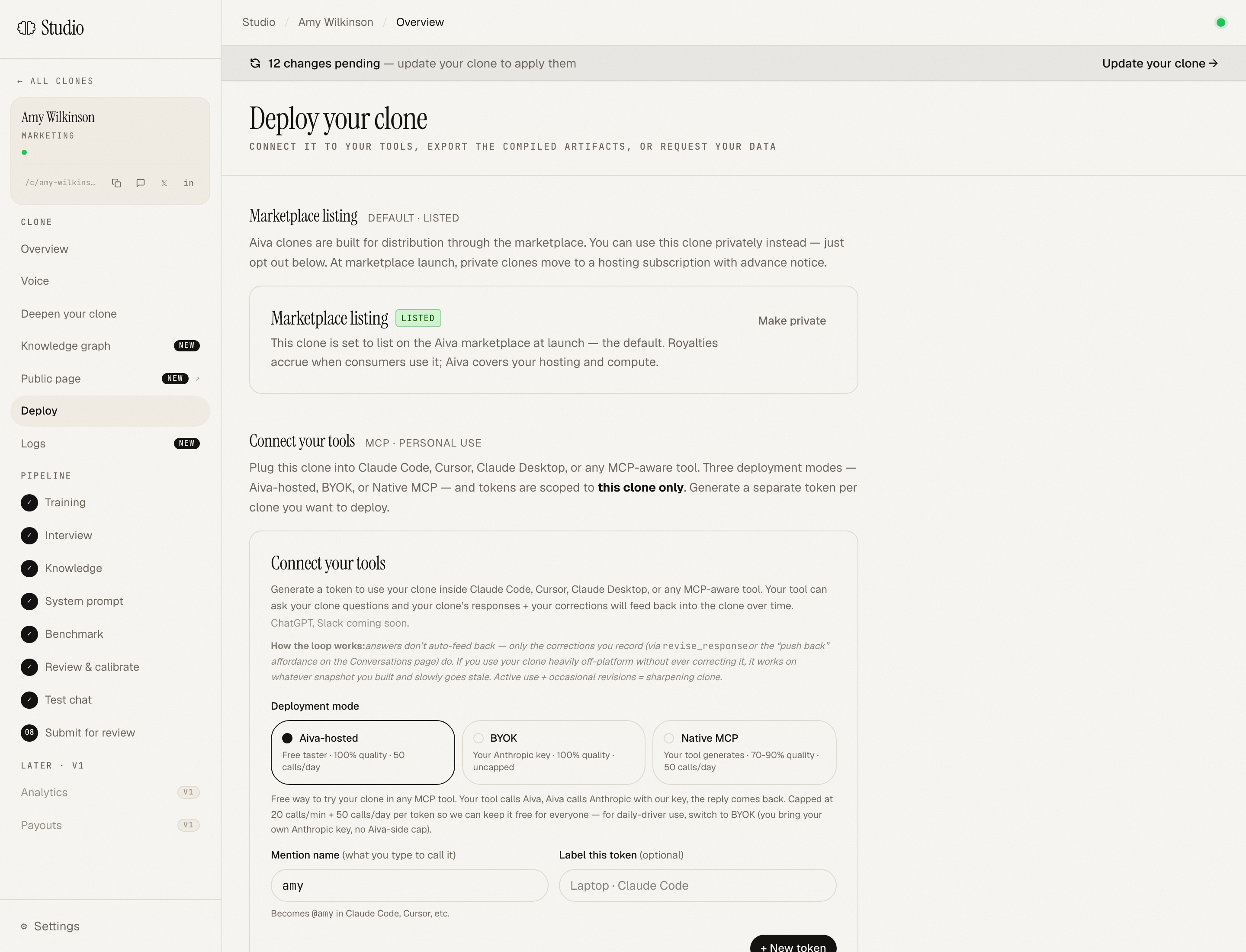
This is the underrated bit. Once your clone is live, you can plug it into the tools you already work in.
The flow: Deploy page → Connect your tools → Generate a token. Pick a mention name (e.g. amy) and a deployment mode:
- Aiva-hosted (free taster — 100 units/month plus one-time bonuses, metered like end-user responses: Quick = 1, Substantive = 3, Deep = 5; we pay the LLM bill)
- BYOK (uncapped, your Anthropic key, you pay Anthropic)
- Native MCP (zero LLM cost, we return a persona snapshot + excerpts, your tool's LLM generates)
The install reveal gives you copy-pasteable configs for Claude Code, Cursor, Claude Desktop, and any generic MCP client.
Once installed (and after a fresh app restart), you can ask @amy-clone for input from inside your editor:
"@amy-clone how would you push back on this draft positioning?"
The clone responds in your voice, grounded in your knowledge doc, without leaving the work surface you're already on. If you correct it, the correction flows back into your Revisions ledger.
Putting your clone in Slack (early beta)
MCP puts your clone inside your editor. Slack puts it where your team already talks. Add the integration from the Deploy page and teammates can call your clone in any channel:
"/aiva ask amy what would you push back on in this positioning?"
The clone replies in-thread, in your voice. But the Slack deployment is more than a chat relay; it's the first place your clone actually lives in a workspace, with three things that the share page doesn't have:
1. It reads each person's own tools, live
Anyone in the workspace can run /aiva connect notion and authorize their Notion in one click. After that, when they ask your clone a question, it reads their Notion live, at the moment they ask, under their own access. Only what that person can already see.
This is per-person by construction. There's no shared workspace token and no copied snapshot. Your teammate connecting their Notion never exposes your pages, and the clone never holds anyone's documents; it reads them in the moment and forgets them. /aiva status shows your connections, /aiva disconnect notion severs one instantly.
2. It remembers across conversations
Beyond a single thread, the clone carries memory of its earlier conversations in the workspace, so it builds context about what the team is working on over time instead of starting cold every time. The only thing persisted is conversation history; connected documents are always read live and never retained.
3. It knows the org without you uploading it
Because reads are live and per-user, your clone can answer grounded in the asker's real, current workspace context without anyone backfilling documents into Aiva first. The privacy story flips from "trust us with your documents" to "we never hold your documents."
Exporting compiled artifacts
If you want to take the compiled clone elsewhere, to run it on your own infra, or hand it off to a team, you can buy the export bundle on the Deploy page:
- $499.99 one-time per clone
- Includes the compiled system prompt, the knowledge document, voice-clone metadata, and benchmark results
- 3 downloads per purchase
This is separate from your personal data, interview audio, raw uploads, profile, which is always free to request by email at any time (GDPR Articles 15 & 20).
Logs, what's changed on your clone
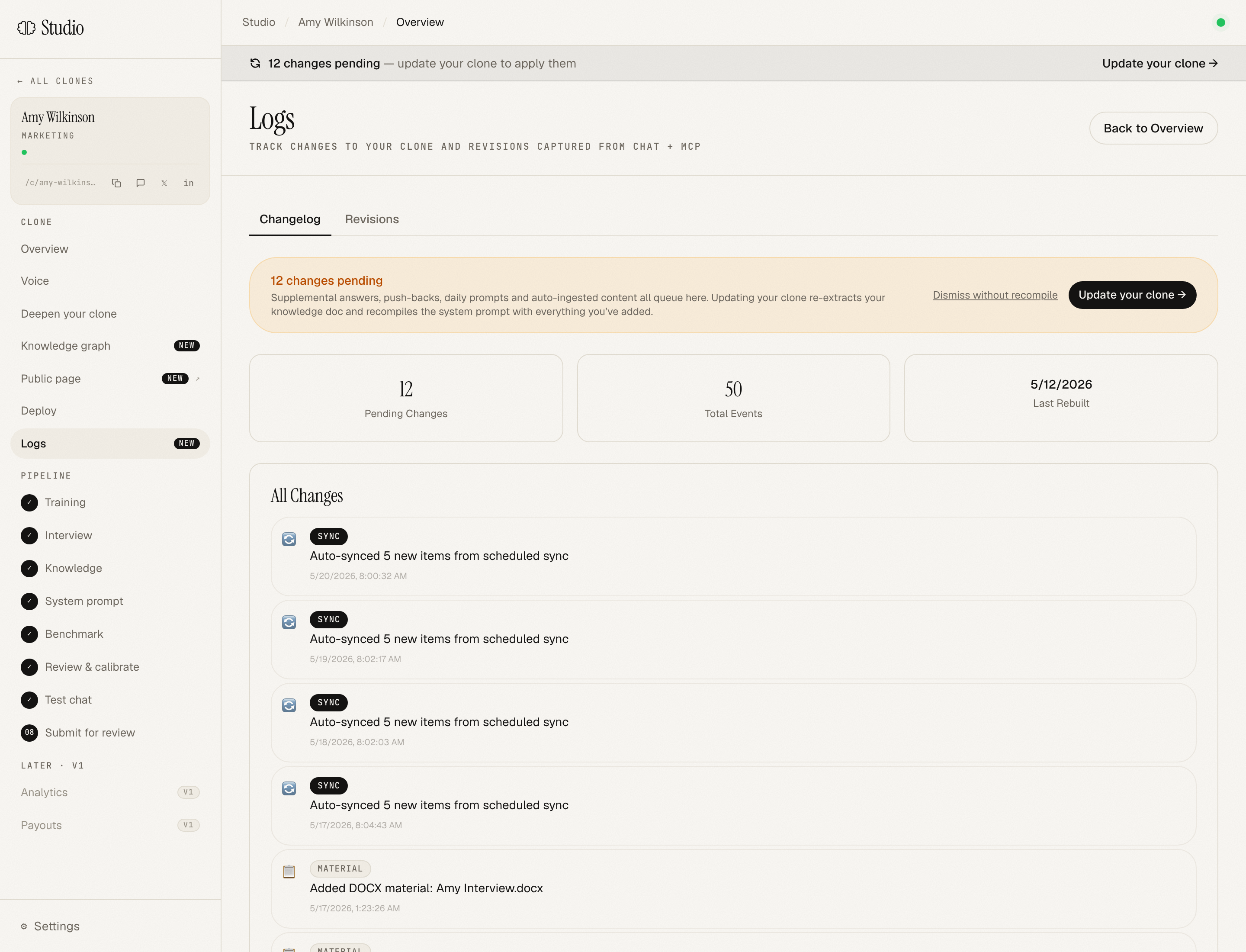
The Logs page is your audit trail. Two tabs:
- Changelog: every event on your clone (uploads, interview submissions, compiles, voice retrains, admin actions)
- Revisions: every push-back captured from chat or MCP, tagged by source (mcp/review/flagged) and kind (tone/fact/framework/scope)
When changes accumulate, the banner at the top of every clone page tells you how many are pending and prompts you to apply them.
What's next
You've built v1 of your clone. Now the real work starts: keeping it sharp. The four feedback loops aren't optional; they're the difference between a clone that ages out in two months and one that gets better every week.
A reasonable cadence to aim for:
- Daily prompt: 3-4× a week (60-90 seconds each)
- Push-backs: every time your clone says something you'd correct, take 30 seconds to flag it
- Deepen your clone: once a week, look at the coverage matrix and top up one thin area
- Auto-ingest: set this up once at the start; runs forever
Most creators hit a noticeable inflection point around 4-6 weeks in, that's when the clone starts to feel like it's actually them, not a high-quality approximation.
Welcome to the bench.
Quick reference
Troubleshooting
My voice clone sounds different in regen: Instant Voice Cloning (IVC) is non-deterministic. If a regen drifts, the previous voice is still on file and a support request can roll back. PVC (Professional Voice Cloning) is more deterministic but takes ~4 hours and is a paid upgrade.
My benchmark didn't pass: open Review & Calibrate, look at which axes scored low. Paste in your actual take on the weak answers as priority instructions. Re-compile, re-benchmark. Most creators pass on iteration 2 or 3.
The clone sounds too generic: usually means the interview was too polite/measured. Go back to Deepen your clone and answer some prompts about your strongest opinions, your war stories, the takes you wouldn't say at a corporate dinner. The clone needs the specific stuff to sound like you.
My MCP setup isn't working: most likely you didn't fully quit + reopen Claude Code (or Cursor, or Claude Desktop). They only load MCP config at startup; an already-open session won't see a freshly-added server.
Questions? hello@getaiva.xyz
Ready to build your clone?
Sign-up is open. Forty-five minutes of voice. An afternoon to a working clone.
Start building →